

Xbox is awesome. You jump into a game, talk trash (friendly or not), team up with strangers from all over the world, and sometimes… someone just feels off.
Maybe someone keeps messaging you. Or maybe you’re just curious who’s actually behind that Gamertag. So the question pops up: “Can I figure out who this Xbox user really is?”
Let’s set expectations first. There’s no magic button that reveals someone’s real name on Xbox. Most players are anonymous by design. But there are a few reasonable ways to gather clues. Here’s how people usually approach it.
1. Check Xbox Profile Information
This sounds obvious, but it’s worth checking first.
Xbox has a real-name sharing feature. Some users turn it on so friends can see their actual name.
When you’re in a game lobby or friend list, you can click on their Gamertag and view their profile. If the player has chosen to display their real name in their profile, you will be able to see it there.
If it’s there, great! Mystery solved. If not, that’s normal. Most players keep this turned off. No red flag. Let’s keep going.
2. Check for Social Media Links

Xbox allows players to connect their gaming accounts with their social media profiles, such as Facebook or Twitter. If you see social icons on their profile, click through. Even if their real name isn’t obvious, you might find old posts, profile photos, or clues about their hobbies and locations.
Alternatively, you can search for their Gamertag on social media platforms to see if there are any discussions mentioning it. People reuse usernames way more than they think. Sometimes a Gamertag leads straight to a Facebook profile or old forum post.
3. Just Ask
If the interaction has been friendly, the simplest option is often the best one. You can send them a message or use the in-game chat feature to politely ask if they are comfortable sharing their real name. That said… If they’re trolling or making you uncomfortable, this obviously doesn’t work.
Some people may prefer to keep their real names private online, and it’s important to respect their wishes if they decline to share their real names with you.
4. Google the Gamertag
Most usernames aren’t as unique as people think.
Try searching for the Gamertag on Google. If the player has ever used their Gamertag in other online profiles, such as social media, forums, or online communities, Google is likely to pick up the webpage.
Alternatively, you can try Bing if your Google search turns up nothing. Different search engines index different things.
5. Use Third-Party Username Lookup Tools
If you’re willing to go a step further, there are third-party services that do reverse username lookups. One example is Social Catfish. It’s a social media investigation service based in California. They have a reverse username search tool, which can help you find possible owners of a social media account.
Social Catfish collects data from publicly available sources, such as social media profiles or gaming forums, and compiles it into a searchable database. You can reverse look up the Gamertag and see if you can find any information associated with it.
The report may include information like the person’s name, email, phone number, address, social media profile, and more. To get details, though, you’ll need to pay.
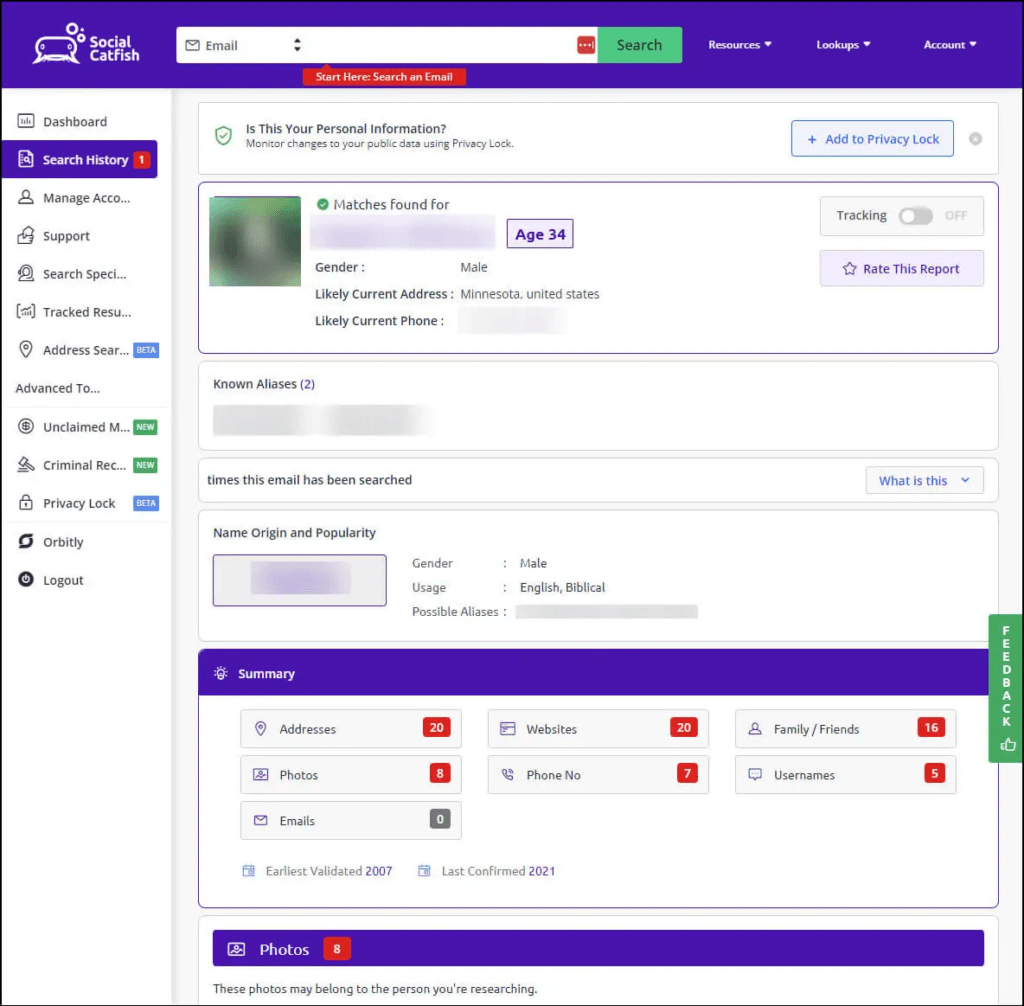
Sometimes you’ll get lucky and see a name or social link. Sometimes you won’t. And no tool is 100% accurate.
Also important: these services show public data only. If someone is careful with privacy, there may be nothing to find, and that’s by design.
Final Thoughts
Before wrapping up, this part matters. If someone is making you uncomfortable, the best tools on Xbox are still block, mute, and report the player.
Finding out who’s behind an Xbox Gamertag isn’t always possible, and honestly, most of the time, it shouldn’t be.
Just remember: your goal isn’t to “expose” anyone. It’s to decide whether you want to keep interacting with them.
Stay safe, respect privacy, and enjoy the game. Feel free to leave a comment below if you have any questions or suggestions!
Leave a Reply