

You might already know that macOS comes with built-in security features like XProtect and Gatekeeper. For most people, these are actually good enough to keep your Mac safe.
If you’re curious, Apple has some official docs explaining how these work:
How does XProtect work?
XProtect runs automatically in the background. There’s nothing you need to open or click. It quietly checks files against known malware and blocks anything suspicious.
So no, you don’t need to “run” it manually.
The only thing you should do is make sure automatic security updates are turned on, and here is how to do it:
1. Press Command (\⌘) + Space to open a Finder search window.
2. Type and open System Settings.
3. Go to General > Software Updates.
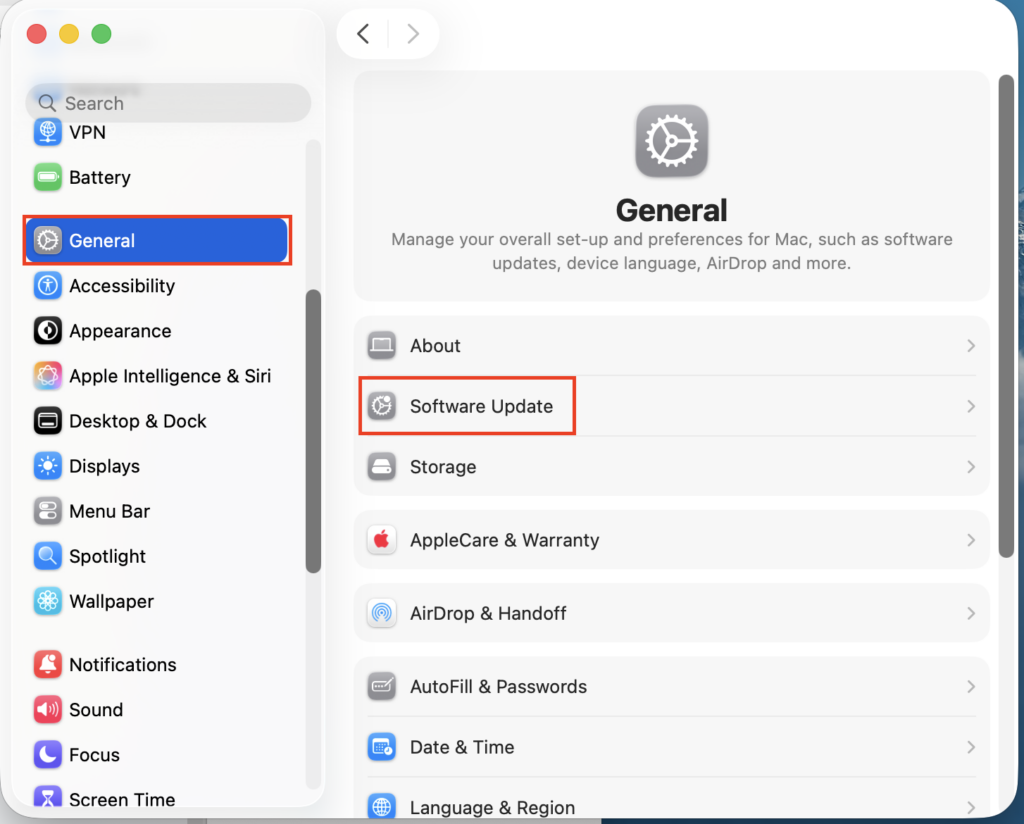
4. Tap the ⓘ icon behind Security updates.
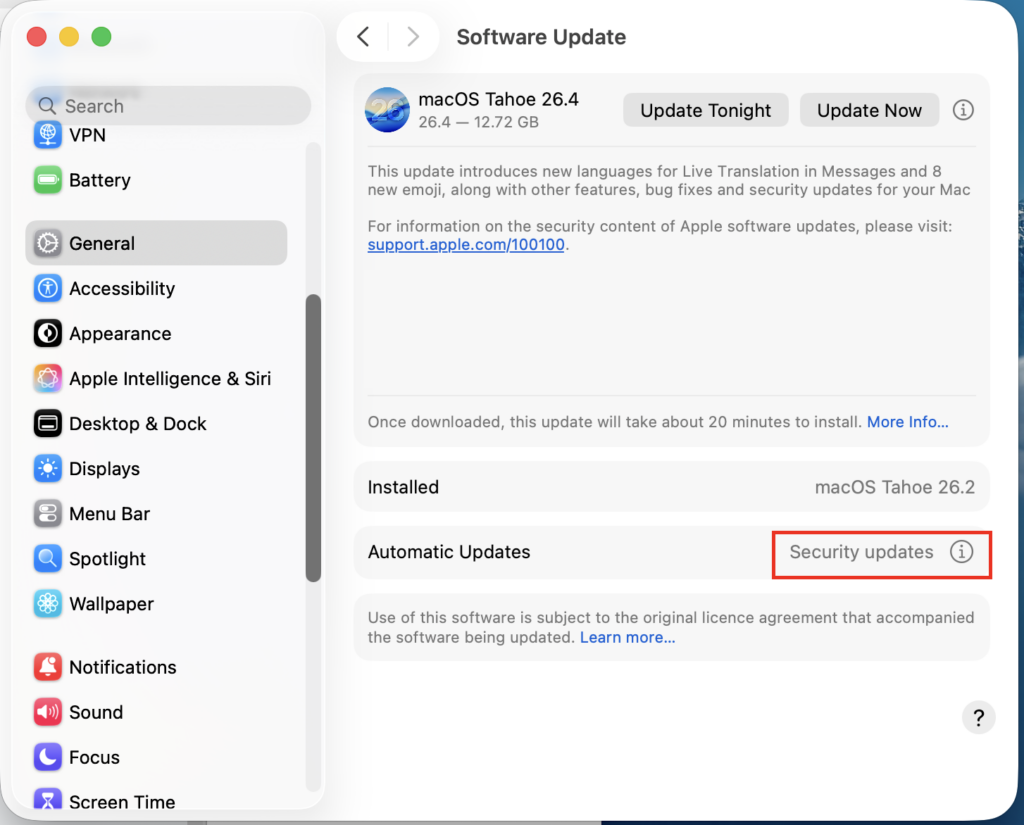
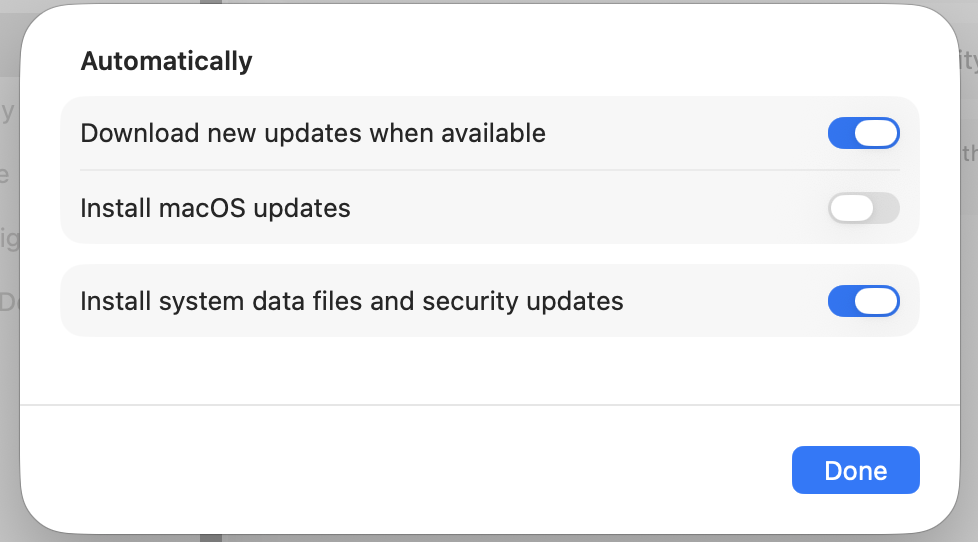
5. Make sure “Install system data files and security updates” is checked.
Do you need extra virus protection?
For most people, macOS built-in protection is enough.
That said, if you store important data or download files from the internet often, using an extra layer of protection isn’t a bad idea.
Think of it like this: no security system is perfect. Using more than one tool just reduces the chance of something slipping through.
Also, threats are getting more advanced over time. New types of malware show up regularly, so relying on just one layer of protection may not always be enough.
Malwarebytes is a well-known and reliable tool. The free version works great for occasional scans and cleaning up any malware it finds.

You don’t have to pay unless you want extra features like real-time protection or VPN.
Leave a Reply