
If you’re trying to download a video from Instagram, you’d probably be thinking, “Why is this so hard?”
Instagram doesn’t give you a download button, not for Reels, not for Stories, not for IGTV. And yet, there are plenty of times you might want to save a video.
I’ve been there. Over time, I’ve tested a bunch of different methods, and in this guide, I’ll walk you through 4 methods that actually work.

Quick heads-up before we start: You’re responsible for how you use any downloaded content. Always respect creators’ rights and local laws. Everything here is meant for personal or educational use only.
In this article:
- Use Online Instagram Video Downloaders
- Download Instagram Videos on Your Phone
- Use Browser Developer Tools (Desktop Only)
- Use Instagram’s Remix Feature (For Resharing Reels)
Method 1: Use Online Instagram Video Downloaders
If you ask me, this is usually the fastest and easiest option, especially if you only need to download a video once in a while. I like online tools because there’s no app to install, and they work on both computers and phones.
Here is how to use an online video downloader:
1. Open Instagram (app or website) and find the video you want to download.
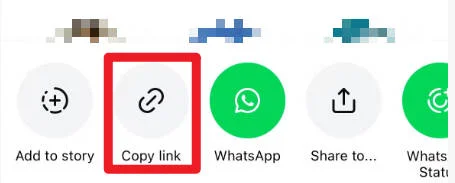
2. Click the three-dot menu in the top-right corner of the post and select Copy link.
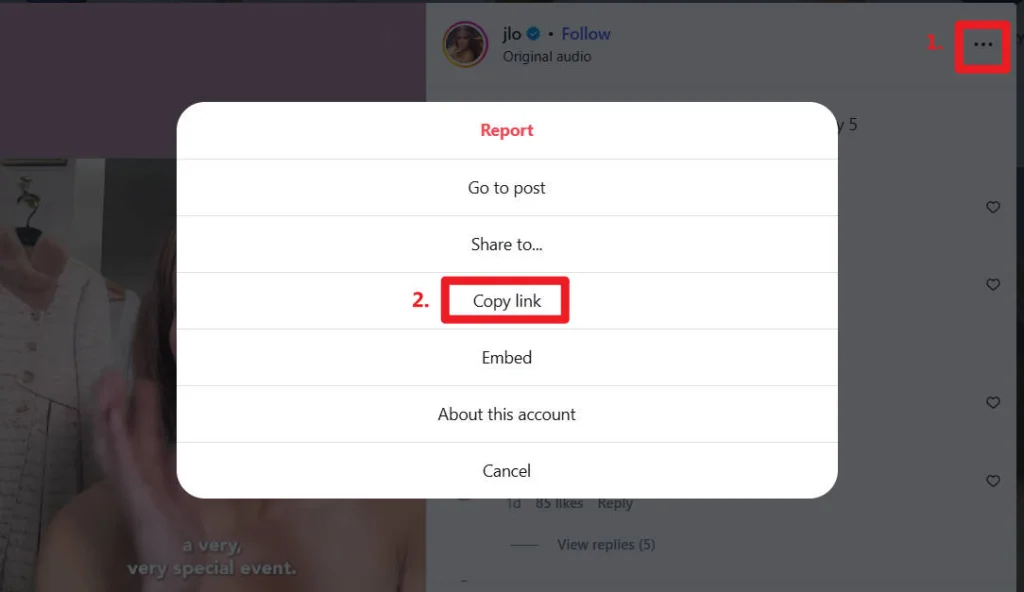
3. Open your browser and visit an online Instagram video downloader. Some tools I’ve personally tested include:
4. On the online video downloader tool’s website, paste the copied URL into the provided input box.
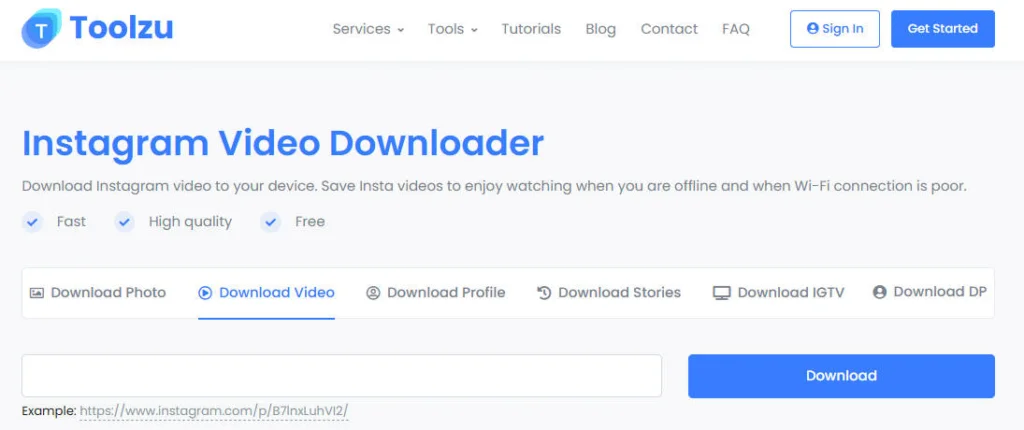
5. Click Download and save the video to your device.
Most of these tools work well, but sometimes a site may be slow or temporarily unavailable. When that happens, I usually just switch to another site from the list.
Method 2: Download Instagram Videos on Your Phone (Using an App)
If you download videos often, using a mobile app can feel more stable than online tools. One app I’ve used is Seal – Instant Repost.
1. Download and install the Seal app.
2. Open Instagram and find the video you want, then tap the Share icon.
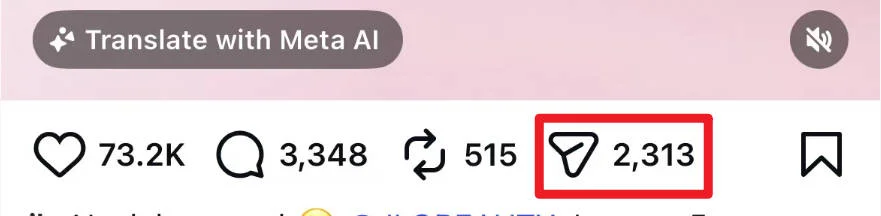
3. Tap Copy link.
4. Open Seal, tap the Seal app icon. In most cases, the app automatically detects the link and starts downloading.

Method 3: Use Browser Developer Tools (Desktop Only)
This method is more technical, but it’s useful when online tools stop working. It doesn’t require any third-party software, which is why I still keep it as a backup option.
Here’s how it works:
1. Open Instagram on your desktop browser and go to the video you want to download.
2. Right-click anywhere on the page and select Inspect to open Developer Tools.
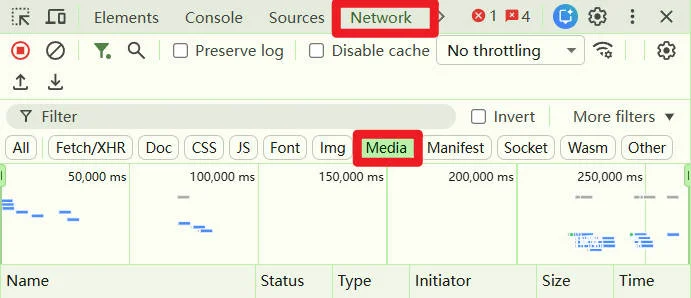
3. In the Developer Tools panel, click the Network tab, then switch to the Media subtab.
4. Toggle the device toolbar to emulate a mobile device. You can also do this by pressing Ctrl + Shift + M (or Cmd + Shift + M on Mac).
This step is important because without a mobile view, the video URL usually won’t show up.

5. Reload the Instagram page while staying in mobile view. After the page reloads, you should see a video file appear in the Media list.
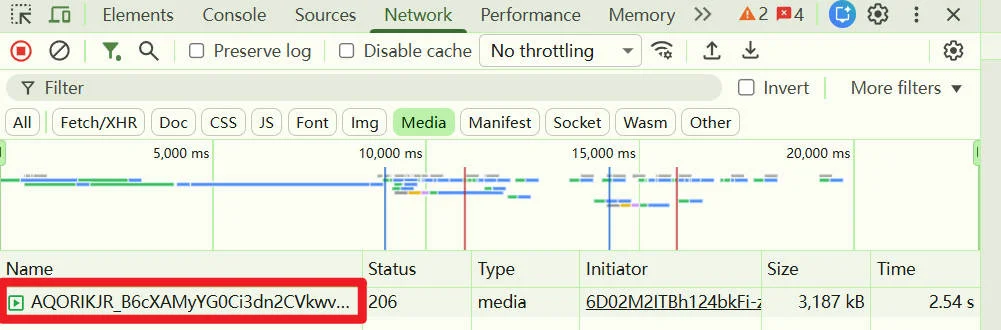
6. Right-click the video file in the Media list, then select Open in new tab.
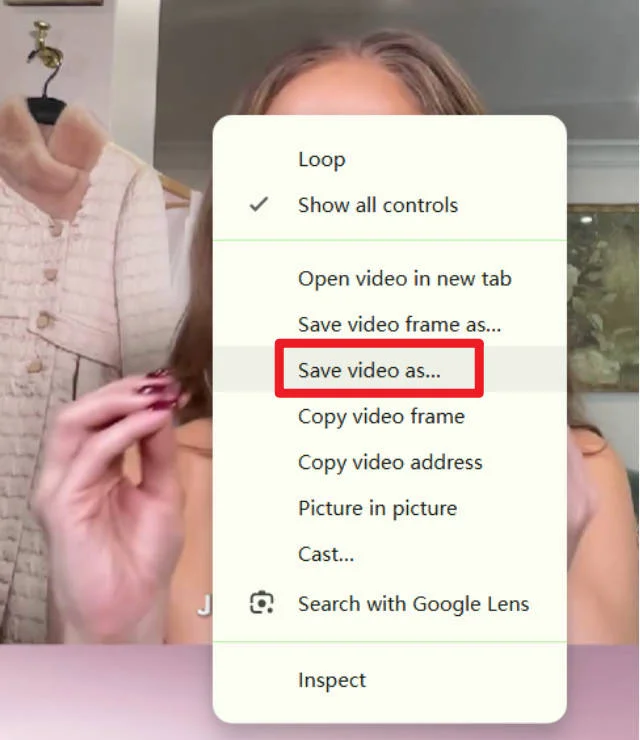
7. In the new tab, right-click on the video and select “Save video as…” to download it.
This isn’t the fastest method, and it definitely feels more manual than using an online downloader. However, it works reliably and doesn’t require installing extra tools.
Method 4: Use Instagram’s Remix Feature (For Resharing Reels)
If your goal is resharing, not downloading, Instagram’s built-in Remix feature is the easiest and safest option.
1. Open the reel you want to reshare.
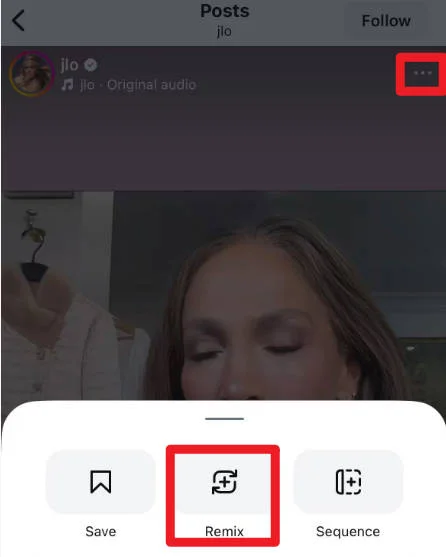
2. Tap the three-dot menu and choose Remix.
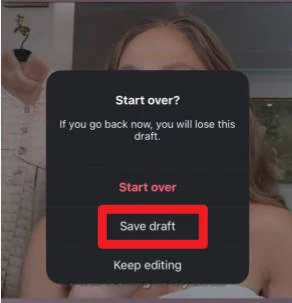
3. Tap Exit, then select Save draft.
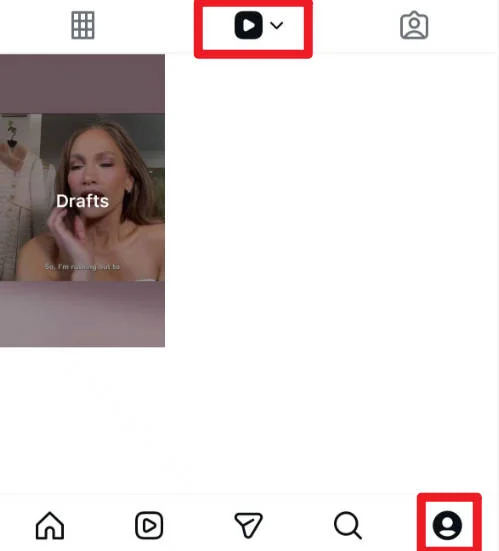
4. Go to your Reels section, and you’ll be able to view the draft.
This works well when you just want to reference or respond to a Reel inside Instagram, without saving the original video file.
Final Thoughts
There’s no single “best” way to download Instagram videos. It really depends on how often you do it and what device you’re using.
Hopefully, one of these methods fits right into your routine. Feel free to leave a comment below if you’ve got questions or a trick I didn’t mention.
Thanks for reading!
FAQs
No. Instagram does not currently offer an official way to download videos directly.
Many are safe, but it’s best to avoid tools that ask for your Instagram password or excessive permissions.
It depends on your local laws and how you use the content. Downloading for personal use is usually safer than commercial use.
In most cases, no, unless you have permission from the original creator.
Leave a Reply