

Got an email from a Yahoo address, and you’re not sure who it really is? Maybe a stranger emailed you out of nowhere, or someone claims to be your friend, but their Yahoo email looks a bit “off”. In both cases, it’s normal to feel unsure. You might wonder: Is this person real? Can I trust this email? Is it a scam?
While there are hundreds of email lookup tools on the internet that claim to offer accurate results, the reality is that, with most of them, you wouldn’t know what information you’ll get unless you pay.
Don’t worry, we’ve got you covered! We’ve tested a bunch of them, so you don’t have to. In this post, we’ll walk through legal, safe ways to use a Yahoo email address as a starting point to look for more information.
In this article:
- 1. Epieos Reverse Email Lookup
- 2. True People Search – It’s Free!
- 3. Try Outlook Trick
- 4. Use Social Catfish
- 5. Use Search Engines
Before we start, it’s important to remember that Email addresses are so easy to create and don’t require strong ID. This means anyone can create multiple Yahoo addresses with no real identity behind them. So the methods below can give you clues, not 100% proof. And if you feel you are being scammed, harassed, or threatened, the best move is usually to protect yourself, not investigate the sender.
1. Epieos Reverse Email Lookup
Epieos is my favorite email lookup tool. It’s designed to help you find information related to an email address. This can save you time, especially if you don’t know where to start.
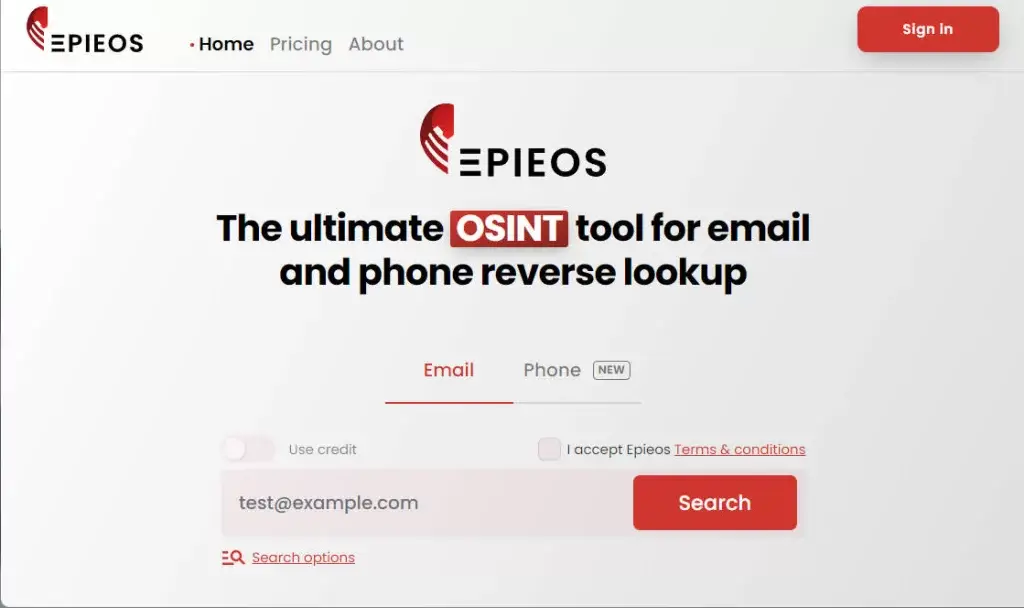
Epieos is free, it’s accurate, and best of all, it’s very easy to use. You can use it without signing up – just enter the Yahoo email address into the search box, agree to the terms, and hit the search icon.
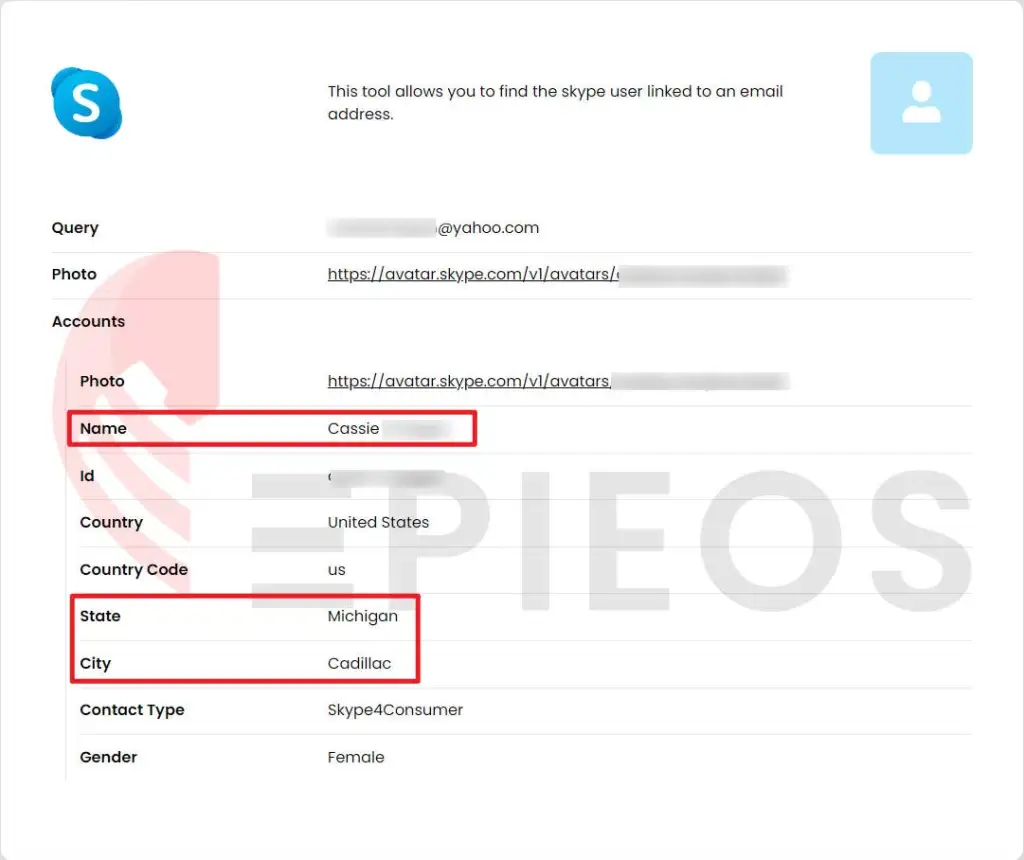
Epieos will then work its magic and deliver the results in seconds. For example, here is a report I generated with the tool. Epieos was able to locate the Skype account linked to the Yahoo email address I searched, along with the owner’s full name, gender, and the state and city they live in.
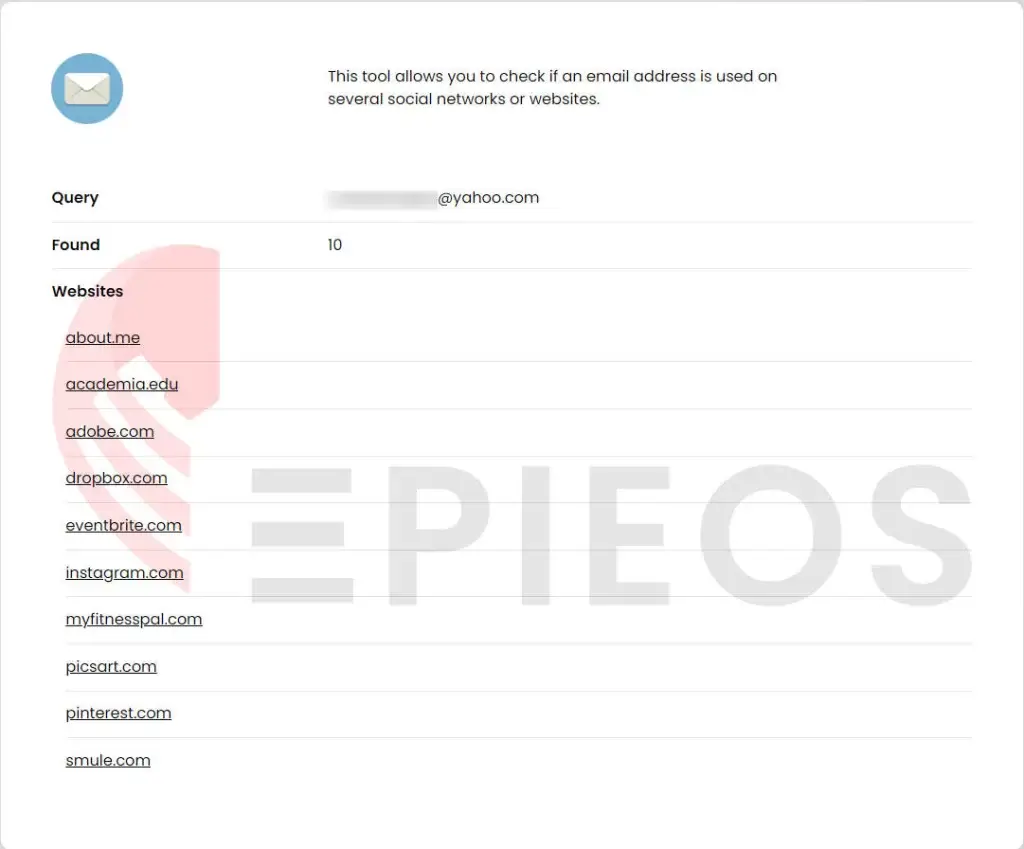
The report also displays whether that email address is used on social networks or websites, although it won’t hand you the direct links to the accounts. Still, a useful piece of information that you can use as a starting point to further your investigation.
2. True People Search
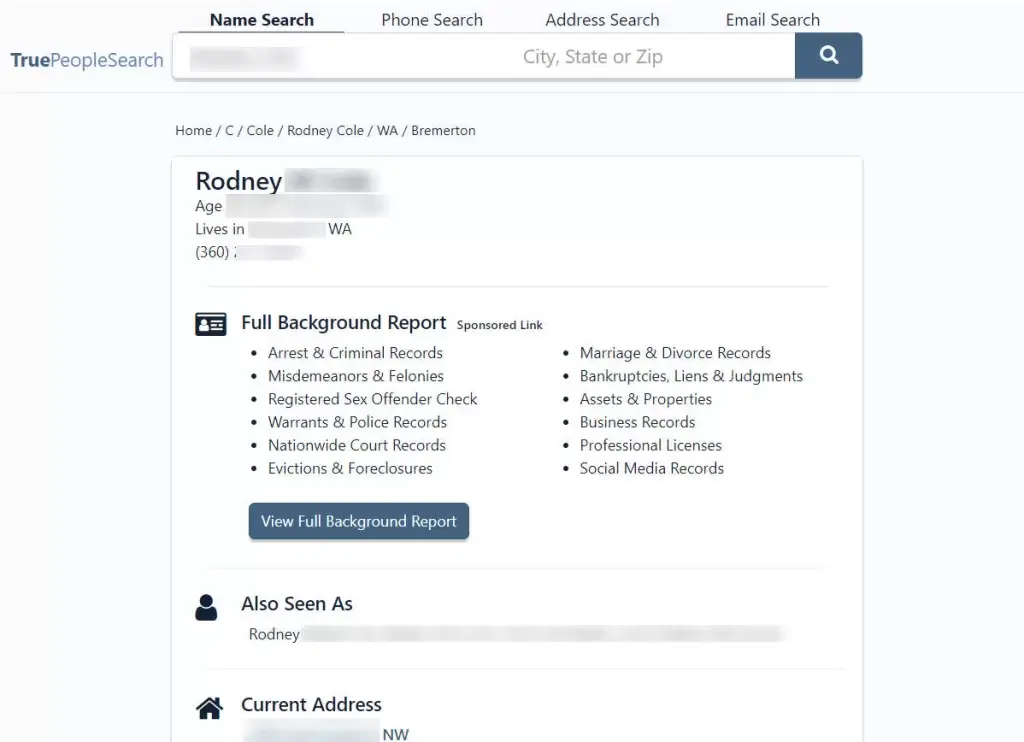
Another reverse email lookup tool we recommend is True People Search. It’s a dedicated people search tool that allows you to enter an email address and search for details about the owner on the go.
Just type in that Yahoo email address, and True People Search will display a list of possible owners.
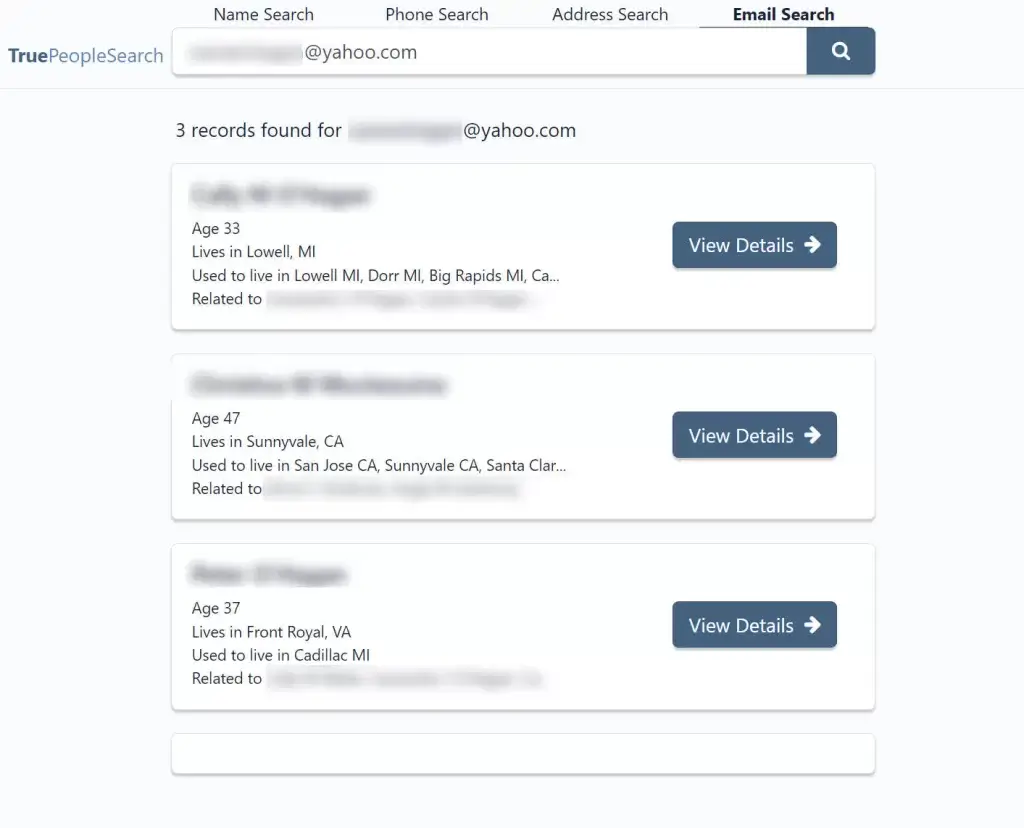
Click View details and I was able to view details like the owner’s full name, aliases, age, phone number, address, and even possible relatives.
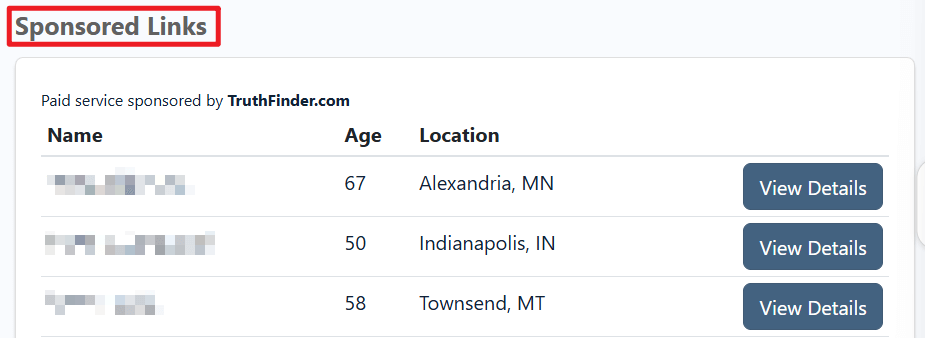
Just remember that this tool only searches for people living in the US. Additionally, while the results are free to view, free people search tools often display multiple ads that redirect you to paid services. If you prefer not to pay for information, be cautious of the sponsored links on these websites.
3. Try Outlook Trick
Another effective way to find out who owns a Yahoo email address is to use social media platforms. Some platforms let you search for users by email address. If you can find a profile linked to that specific Yahoo email address, you may be able to learn more about the owner.
If you use Outlook and your Outlook and LinkedIn accounts are connected, here is a trick to find someone’s LinkedIn profile with their email address. (Note: This only works if the person has used that exact Yahoo email on LinkedIn.)
1. Go to Outlook and log in to your account.
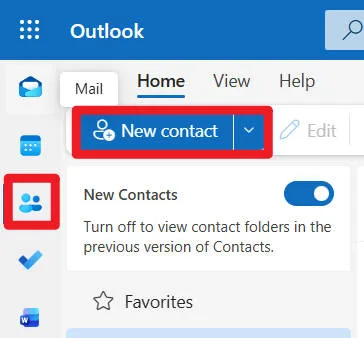
2. Click the People option on the left panel, then click New contact.
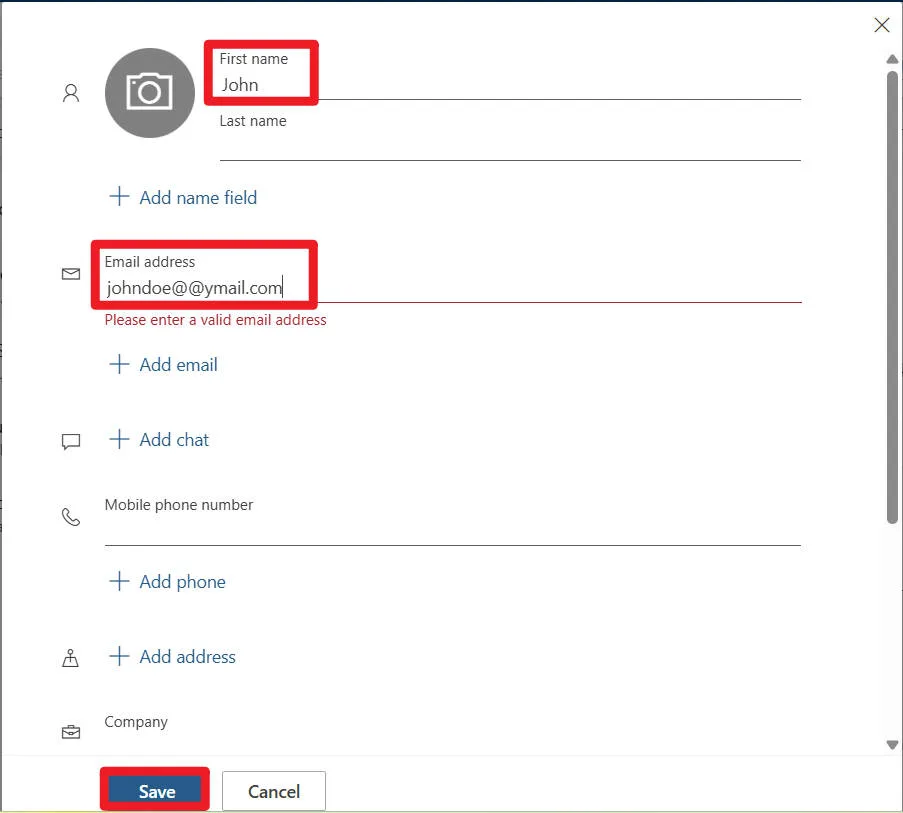
3. Fill in the First Name as you want, then enter the Email address and click Save.
4. Click the contact you created, then click the LinkedIn tab to see if there’s any LinkedIn profile associated with the email address.
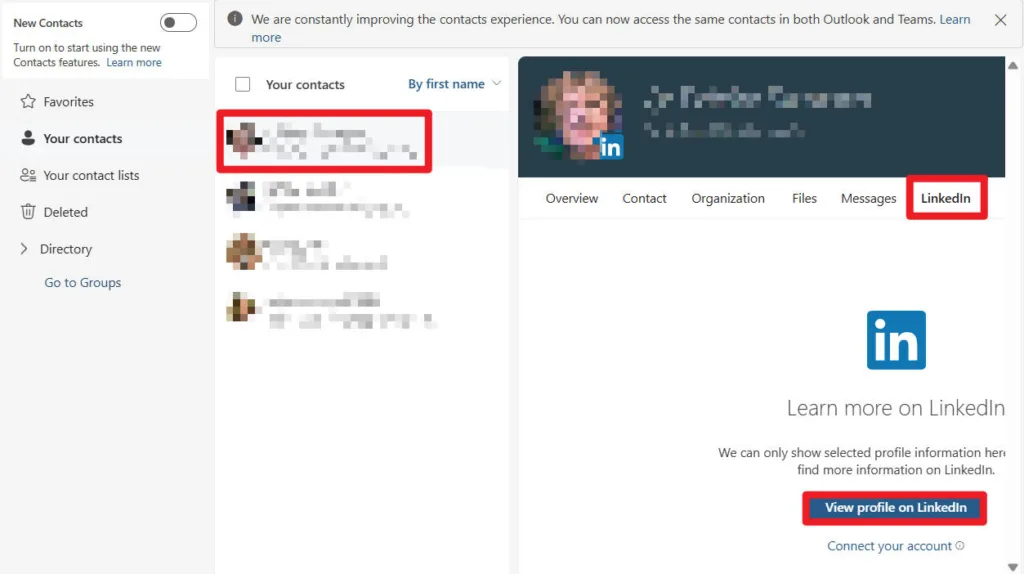
Depending on users’ privacy settings, their profile information may be viewable only to people they’ve connected with, or it may be viewable to anyone. If this didn’t show any profile for you, that means no LinkedIn account is connected to that particular email address.
Always remember: scammers can also fake display names or pretend to be someone you know. If something still feels wrong, don’t trust the email just because a name appears.
4. Use Social Catfish
If all you have is a Yahoo email address, a paid people search engine might help. These tools collect public information from across the web and try to connect the dots.
One example is Social Catfish. Simply enter the email address on the Social Catfish Reverse Email Lookup page. After purchasing a membership, you can review the report, which may include the person’s name, age, address history, possible photos, associates, etc.

However, remember that people search services only work with public and legally available information, and their results are not 100% accurate. Even if you find a possible name and social profile, you still need to double-check before you trust the sender.
5. Search Engines
Sometimes, a professional reverse email tool finds nothing. That doesn’t mean the email is safe or unsafe; it just means there’s no data in that tool.
In this case, a regular search engine like Google, Bing, and DuckDuckGo can be useful. It’s less focused, and you’ll see more noise, but that wider net can sometimes catch helpful clues. linked to email addresses.
Simply enter the Yahoo email address in the search bar and hit search. Now scroll through the results to see if you can find old forum posts, social media comments, or scam report pages where others share that they got strange emails from the same address.
Sometimes, you will find nothing at all. That doesn’t mean the email is safe. It just means it’s new or not used publicly.
When You Should Stop Replying to a Yahoo Email Address
No matter how curious you are, you should stop interacting with the sender right away if:
- They ask for your personal information (full name, address, ID, bank details, passwords).
- They send suspicious links or attachments you didn’t expect.
- They ask you to switch to another platform quickly (WhatsApp, Telegram, etc.) for no clear reason.
- They claim to know you, but cannot give basic details (how you met, where you worked/studied together, etc.).
- They try to scare you into acting fast (“Your account will be closed,” “You will be arrested,” etc.).
- They claim they hacked you and demand money, especially in crypto.
Many “I hacked your computer” emails are completely fake. They often send the same message to thousands of people, use fear and shame to make you pay, and claim they have webcam footage or browsing history, but show no real proof. If you genuinely believe someone has your private data or is threatening you, the right steps are – don’t reply, or pay and save the email as evidence. Contact the police or your local cybercrime authority.
Your safety and privacy matter more than finding out who is behind the screen.
Final Thoughts
Trying to find out who owns a Yahoo email address can be helpful when you want to verify if someone is who they claim to be. There are several tools online that may give you clues, but remember, email addresses are easy to create, and there isn’t one magic tool that can provide you with the identity of the sender. So everything you find is mere extra information, not final proof.
And if you ever feel unsafe, blackmailed, or harassed, the smartest move is not to play detective, but to stop engaging and reach out for help from police, parents, or other trusted adults.
Leave a Reply