

A .edu email comes with many perks: free Amazon Prime for six months, huge discounts on Adobe, Spotify, Apple Music, free professional software that normally costs hundreds of dollars, and more.
But what if you’re not currently enrolled in a university, or your school doesn’t provide .edu email accounts?
Here’s the good news: you can still get a .edu email for free, even if you’re not currently enrolled in college.
Let me walk you through how it works, who qualifies, and what you can unlock once you have one.
In this article:
- How can I qualify for an edu email?
- How to get an edu email for free?
- Student perks you can get with a .edu email
How can I qualify for an edu email?
Normally, .edu emails are issued by accredited U.S. colleges to students, faculty, and staff. But here’s the loophole most people don’t realize: You don’t always need to attend classes. Sometimes, just applying is enough.
Community colleges are the key here. Many of them automatically generate a .edu email as part of the application process.
Before you start, here’s what you should know.
- Input your personal information when necessary.
The first step is to apply for an OpenCCC account. The OpenCCC single sign-in account allows you to access the online services of the California Community Colleges. Use a California address and school details while applying. (If you don’t feel like using your real info, you can generate a random US address.) - You must live in the U.S. (for Method 1)
Anyone who’s outside of US won’t be able to access the website, and VPNs are prohibited. If not, you can go ahead with method 2 instead. - Be patient.
The application process is similar to applying for an actual college, with lots of questions, though many are optional.
Alright. Now let’s get into the actual methods.
How to get an edu email for free?
Method 1. If You’re in the United States
Step 1. Create an OpenCCC account
- Sign up for an OpenCCC account.
Most of the college websites use the CCCApply Portal to give the .edu email, so you should create the OpenCCC account first. - Click Create an Account > Begin creating My Account.
- If you’re USA citizen, you can follow the prompts to fill in your info. But if not, or you prefer to stay anonymous, don’t worry. Generating fake information is absolutely free and easy.
- Enter the information in the application form. You will first enter your name, birthdate, and social security number. Note that you should select No for other questions, such as “Do you have a previous name”. Once done, click Continue.
- Now you will be entering your email, US phone number, and street address, and then clicking Continue. Sometimes you will receive error messages such as “We can’t find your address.” Don’t worry. Make sure you’re entering a California address and try a few more times if it fails to verify your address.
- If all goes well, you will be asked to choose a unique username for your account, a password, a security PIN, and your permanent address. Once complete, click Continue.
- You might be answering some security questions and solving a CAPTCHA. After that, select Create My Account.
Step 2. Get the edu email
One thing you should know is that not all universities provide the edu emails. So, below we’ll show you how to apply to Diablo Valley College.
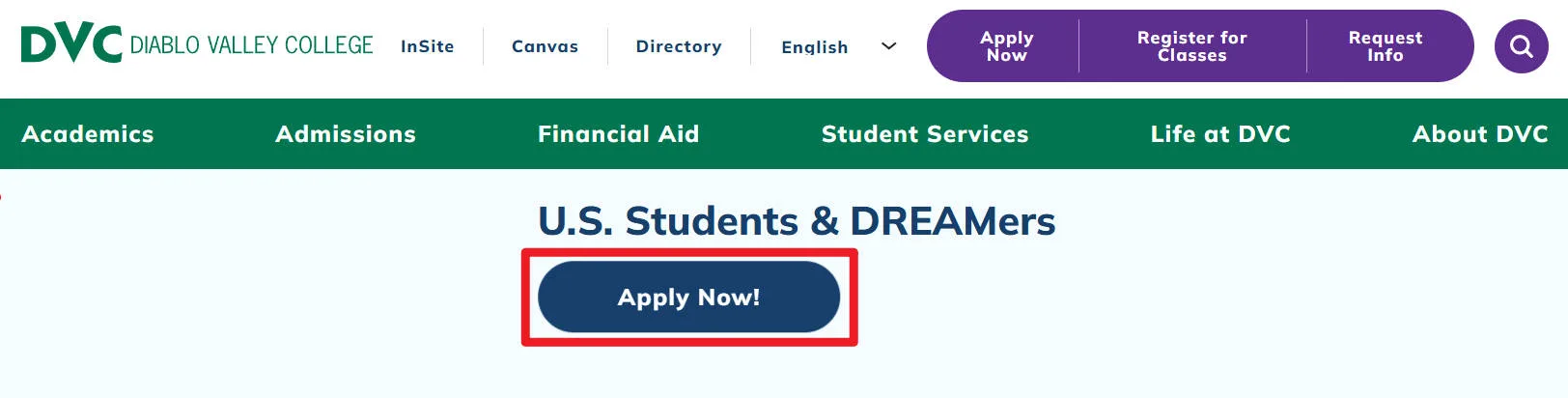
- Go to the Apply to DVC page.
- Scroll down and select Apply Now!.
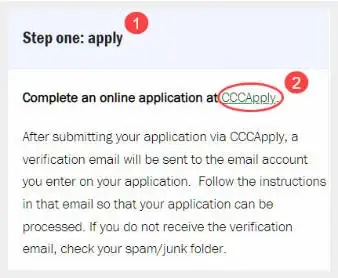
- Select Step one: apply and click CCCApply.
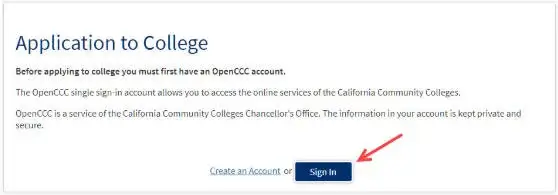
- Click Sign in.
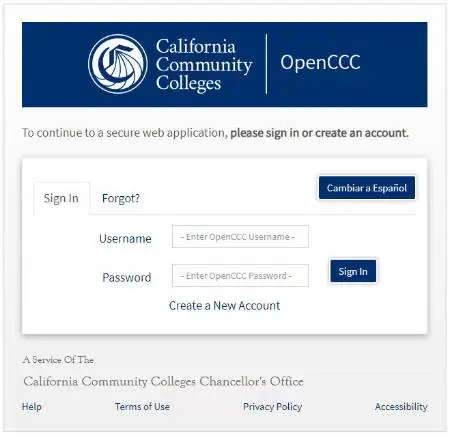
- Log in to your OpenCCC account.
- Once complete, you will receive an email informing you of your Student ID and your edu email address. It may take a few hours to several days.
Method 2. If You’re Outside the U.S.
If you don’t live in the U.S., this method is much easier, but you’ll need a U.S. IP address. Most people use a VPN with U.S. servers for this. If you don’t have one yet, we recommend using NordVPN .
- Connect to the US server and go to the Arizona State University (ASU) website.
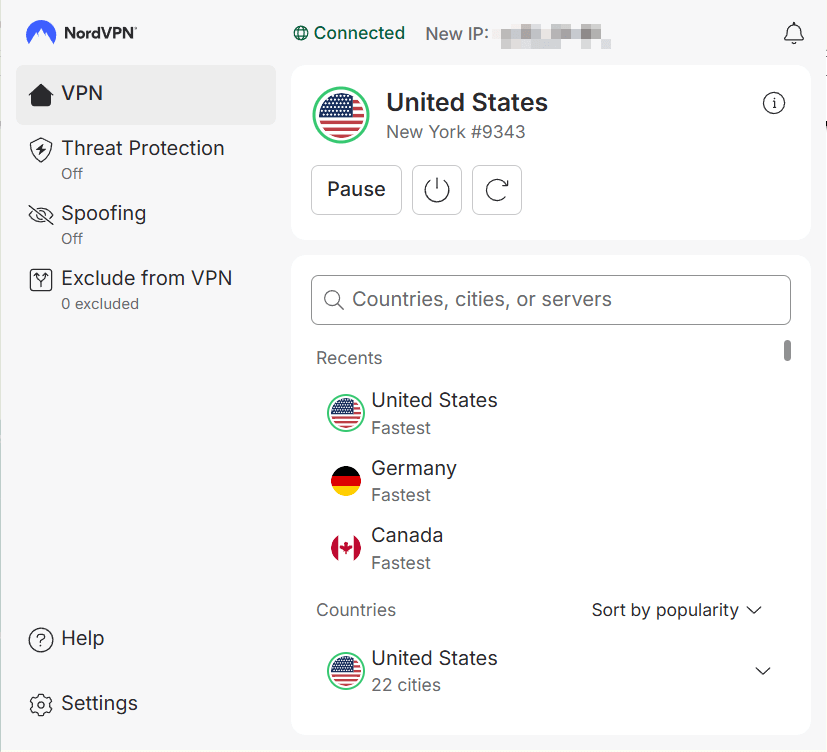
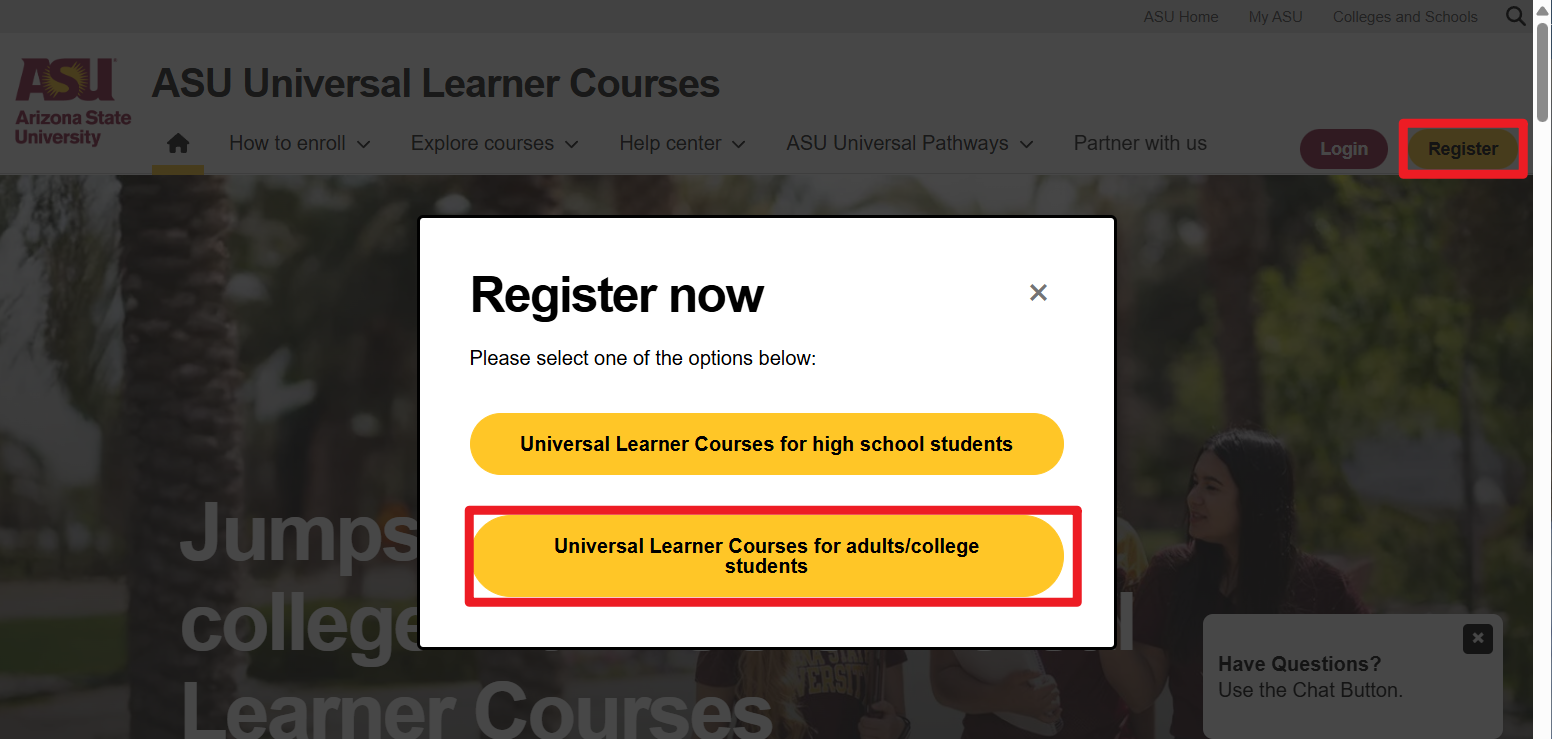
- Click Register, then select Universal Learner Courses for adults/college students.
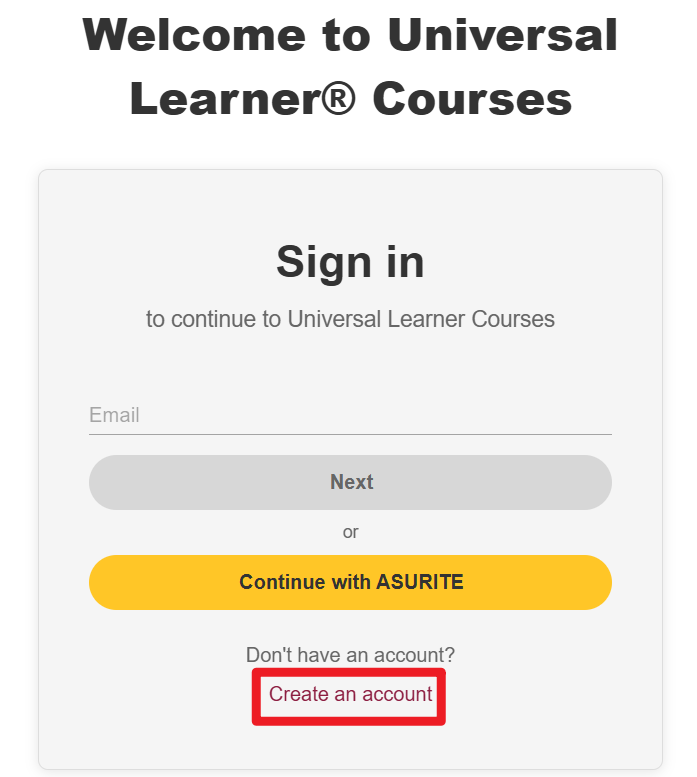
- Click Create an account.
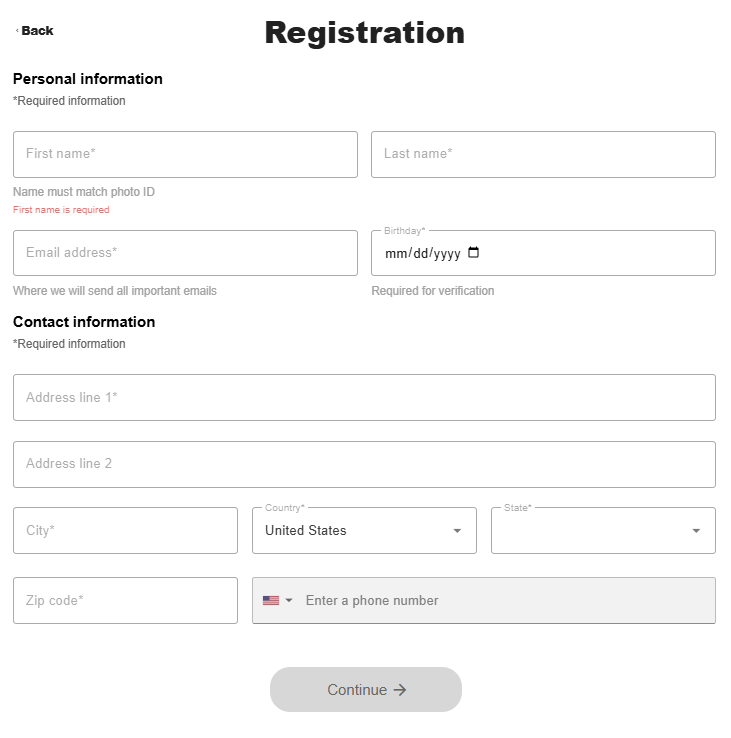
- Fill in your information and click Continue. You can use addresses from this US address site.
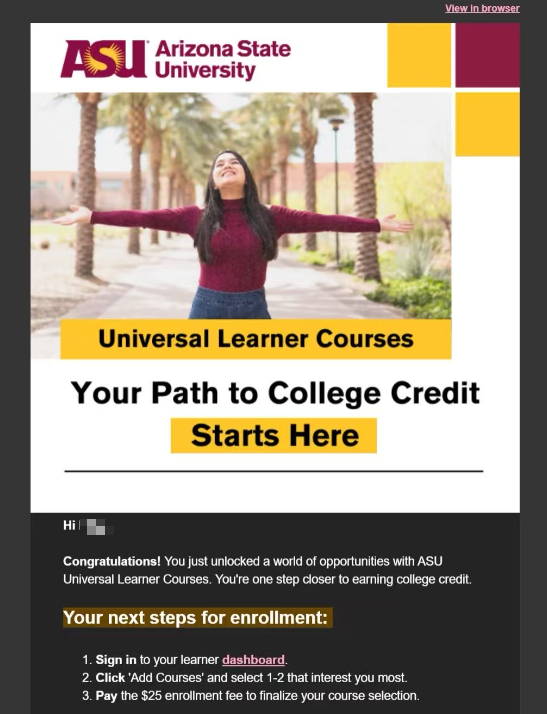
- Once complete, you’ll receive your first email right after the registration.
- You’ll receive another email (usually within 2 days) with a link to activate your email address.
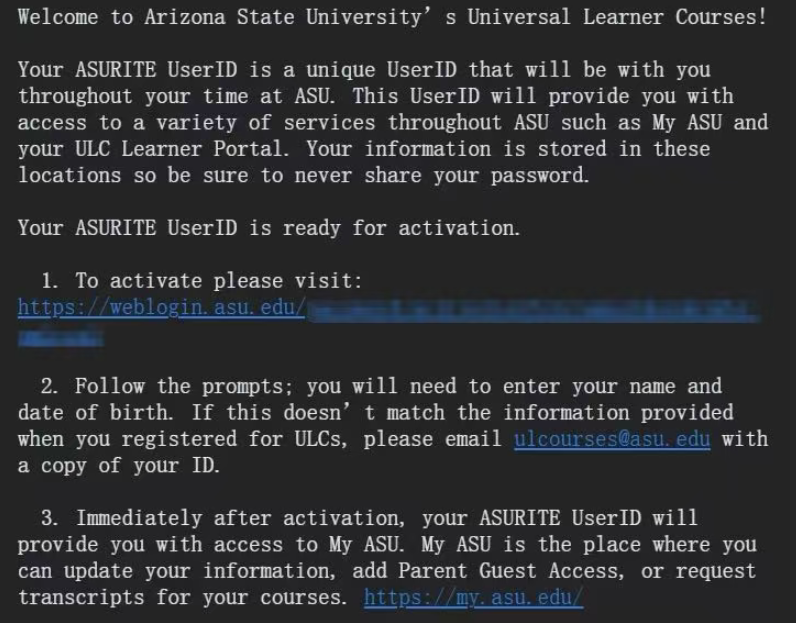
One thing to note: Some .edu emails expire after 6 months. Others last years. It depends on the school.
Student perks you can get with a .edu email
This is the fun part. Once you have that email, the discounts start stacking fast.
Here are some of the biggest perks students get:
| Amazon Prime 6 months free | You can get 6 months free, then 50% off Prime with your .edu email account. This gives you free shipping, Prime Video, Prime Reading, and student-only deals. |
| Free Office 365 with 1TB OneDrive | You can use the same tools required for most classes, work online or offline, and never worry about running out of storage for school files. |
| LastPass Premium 6 months free | Store and autofill passwords across devices, generate strong passwords, and stay secure without paying. Great for students managing lots of accounts. |
| Autodesk Education Access | Free access to AutoCAD, Maya, Fusion 360, and more (for education use). This can save hundreds of dollars if your major uses design or 3D software. |
| Jetbrains Student Licenses | Full versions of IDEs like IntelliJ IDEA, PyCharm, WebStorm, and more. These are professional tools used in real jobs, and you can get them free. |
| Adobe Creative Cloud discount | You get Photoshop, Illustrator, Premiere Pro, After Effects, and more for a much lower price. This is one of the biggest student discounts available and is perfect for design, video, photography, and media majors. |
| Notion Pro | This gives you more storage and features for notes, planning, and class projects. |
| GitHub Student Developer Pack | Free access to many developer tools, cloud credits, domains, and learning platforms. Perfect for coding, side projects, and learning real-world dev tools without paying. |
| Figma for Education | Free education plan for Figma and FigJam with more features unlocked. Great for design, UI mockups, group work, and visual collaboration. |
| Tableau for Students | Helps you make clean charts and dashboards for data classes. |
| Canva Pro (Education) | Easy designs for presentations, resumes, and social media without watermarks. |
| Spotify Student | You can get a discounted monthly plan. It’s much cheaper than regular Premium, and includes Hulu in some regions. |
| YouTube Premium Student | No ads, background play, and offline videos. |
| Apple Music Student | You can subscribe to Apple Music at a discounted monthly rate for up to 48 months. |
| ChatGPT | You can get student discounts in some countries or during special periods. |
| Discord Nitro | This gives you better voice quality, larger uploads, and custom emojis. |
| Nike Adidas Puma New Balance Tommy Hilfiger Forever New | You can enjoy ~10%–25% student discounts. |
| Apple Education Store | Apple products are always cheaper for students, and back-to-school deals may include free AirPods. |
If you don’t want to go through the application process, there are sites that sell .edu emails for $1.50-$5. Before making any purchases on these sites, be sure to check their reviews and relevant Reddit discussions for more information.
Final Thoughts
A .edu email isn’t just for students anymore.
With a bit of patience (and the right method), you can unlock massive discounts.
Hopefully, this post helped. Feel free to leave a comment below if you have any questions or suggestions.
Leave a Reply